

Unsloth is the first desktop app to run and train models.
Unsloth 是第一款可以运行和训练模型的桌面应用。
Features • Quickstart • Notebooks • Documentation
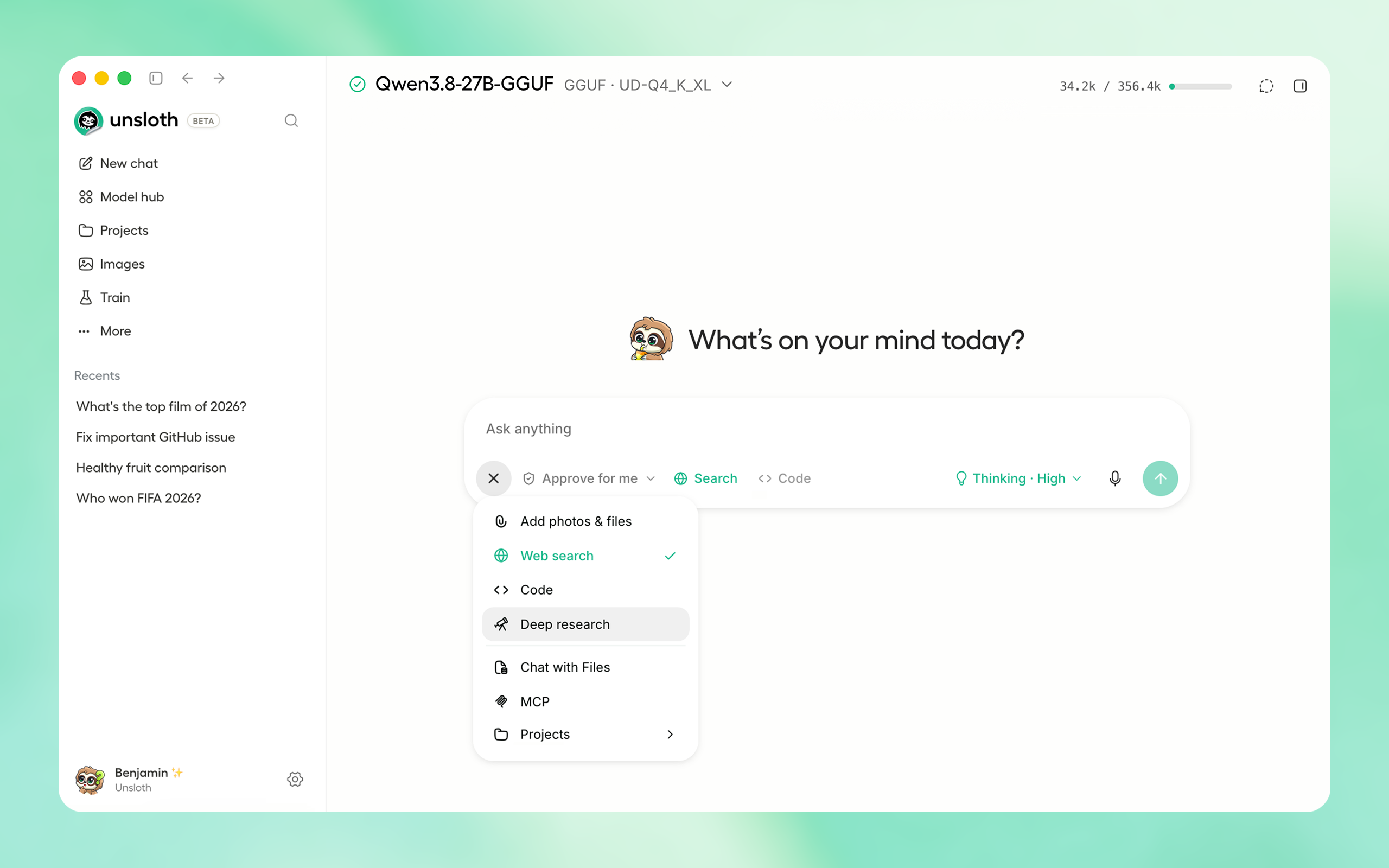
⚡ Get started
Download the native Unsloth Desktop app for your operating system:
| Platform | Link |
| Windows | Download |
| macOS | Download |
| Linux / Ubuntu (deb) | Download |
| Linux (AppImage) | Download |
| Linux (Arm64) | Download |
⚡ 快速开始
下载适用于您操作系统的原生 Unsloth 桌面应用:
Download from Unsloth or GitHub Releases.
从 Unsloth 或 GitHub Releases 下载。
Or if you prefer to install manually:
或者,如果您更倾向于手动安装:
macOS, Linux, WSL:
curl -fsSL https://unsloth.ai/install.sh | shWindows:
irm https://unsloth.ai/install.ps1 | iexCommunity:
macOS, Linux, WSL:
curl -fsSL https://unsloth.ai/install.sh | shWindows:
irm https://unsloth.ai/install.ps1 | iex社区:
⭐ Features
Unsloth lets you run, train, and deploy AI models locally, with support for all types of models.
⭐ 功能特性
Unsloth 让您能够在本地运行、训练和部署 AI 模型,支持所有类型的模型。
Run & Build with AI
- Run and train LLMs, diffusion, embedding, audio models: Kimi K3, MiniMax-H3, Qwen3.8, Muse Glimmer, DeepSeek-V4, Gemma 4.
- Agents & Tools: Use local models with Claude Code, Codex, and MCP, including tool calling and code execution.
- Search & RAG: Use private and unlimited web search, deep research, and RAG.
- Image and video: Run and train image and video diffusion or multimodal models
- Audio: Use private and unlimited web search, deep research, and RAG.
- Hardware: Supports CPU, NVIDIA, AMD, Intel, macOS, and multi GPU setups.
- Remote Access: Access your local models remotely through secure Cloudflare HTTPS.
运行与使用 AI 构建
- 运行和训练 LLM、扩散模型、嵌入模型、音频模型:Kimi K3、MiniMax-H3、Qwen3.8、Muse Glimmer、DeepSeek-V4、Gemma 4。
- 智能体与工具: 将本地模型与 Claude Code、Codex 和 MCP 配合使用,包括工具调用和代码执行。
- 搜索与 RAG: 使用私密且无限制的网络搜索、深度研究和 RAG。
- 图像与视频: 运行和训练图像和视频扩散模型或多模态模型。
- 音频: 使用私密且无限制的网络搜索、深度研究和 RAG。
- 硬件: 支持 CPU、NVIDIA、AMD、Intel、macOS 和多 GPU 设置。
- 远程访问: 通过安全的 Cloudflare HTTPS 远程访问您的本地模型。
Train & Deploy
- Fine-tuning: Train LLMs, diffusion, TTS, and embedding models 2× faster with 70% less VRAM
- Complete support: Supports reinforcement learning, LoRA, QLoRA, full fine tuning, pretraining, RL, GRPO, DPO, and FP8.
- Export & Deploy: Export or Deploy models with including GGUF, NVFP4, FP8 and more formats.
- Datasets: Build datasets from PDFs, CSVs, DOCX files, and more with Data Recipes.
- OpenAI Compatible API: Serve models through an OpenAI compatible API and also connect to cloud providers
训练与部署
- 微调: 以 2 倍速度、减少 70% 显存占用训练 LLM、扩散模型、TTS 和嵌入模型。
- 全面支持: 支持强化学习、LoRA、QLoRA、全量微调、预训练、RL、GRPO、DPO 和 FP8。
- 导出与部署: 导出或部署模型,支持 GGUF、NVFP4、FP8 等更多格式。
- 数据集: 使用 Data Recipes 从 PDF、CSV、DOCX 文件等构建数据集。
- OpenAI 兼容 API: 通过 OpenAI 兼容 API 提供服务,并可连接云服务提供商。
🚀 Unsloth Start
Unsloth Start connects Claude Code, Codex and other agents to local models with one command.
🚀 Unsloth Start
Unsloth Start 通过一条命令将 Claude Code、Codex 和其他智能体连接到本地模型。
Start Unsloth, load a model, open your project folder, then run:
启动 Unsloth,加载一个模型,打开您的项目文件夹,然后运行:
unsloth start claudeReplace claude with any supported agent:
将 claude 替换为任何受支持的智能体:
| Agent | Command |
|---|---|
| Claude Code | unsloth start claude |
| OpenAI Codex | unsloth start codex |
| Hermes Agent | unsloth start hermes |
| OpenClaw | unsloth start openclaw |
| OpenCode | unsloth start opencode |
| 智能体 | 命令 |
|---|---|
| Claude Code | unsloth start claude |
| OpenAI Codex | unsloth start codex |
| Hermes Agent | unsloth start hermes |
| OpenClaw | unsloth start openclaw |
| OpenCode | unsloth start opencode |
Claude Code, Codex and OpenCode can keep their current model and use Unsloth as a local subagent:
Claude Code、Codex 和 OpenCode 可以保留当前模型,并将 Unsloth 用作本地子智能体:
unsloth start claude --as-subagent --model unsloth/model-GGUF:quant📥 Install
Unsloth can be used in three ways: Unsloth Desktop, the desktop app; Unsloth Studio, the web UI; or Unsloth Core, the code based version.
📥 安装
Unsloth 可以通过三种方式使用:Unsloth Desktop(桌面应用)、Unsloth Studio(Web UI)或 Unsloth Core(基于代码的版本)。
Unsloth Desktop (recommended)
The Tauri based desktop app is the easiest way to use Unsloth and needs no setup, so start here.
Unsloth Desktop(推荐)
基于 Tauri 的桌面应用是使用 Unsloth 最简单的方式,无需任何设置,因此从这里开始。